PluginHub
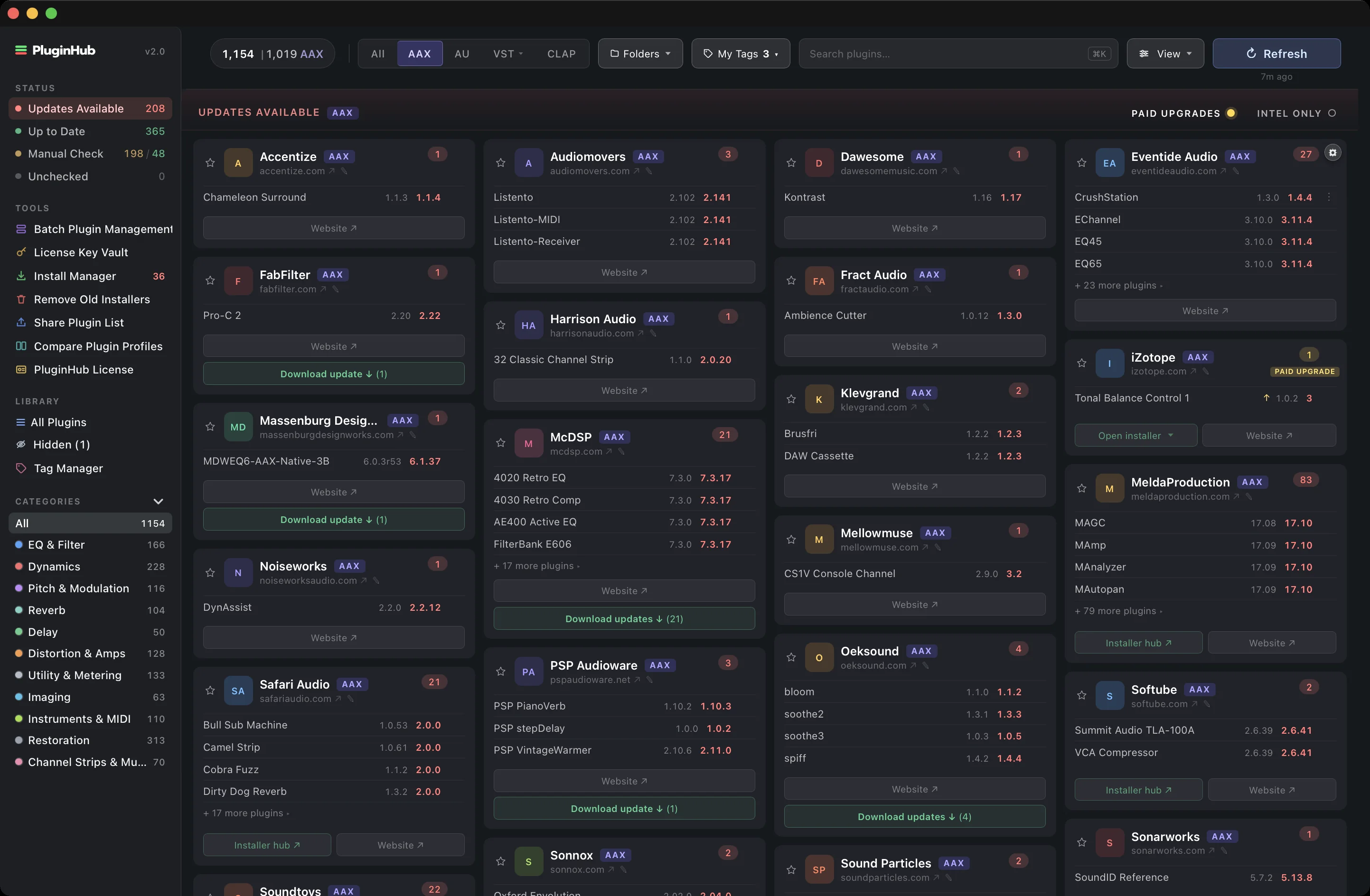
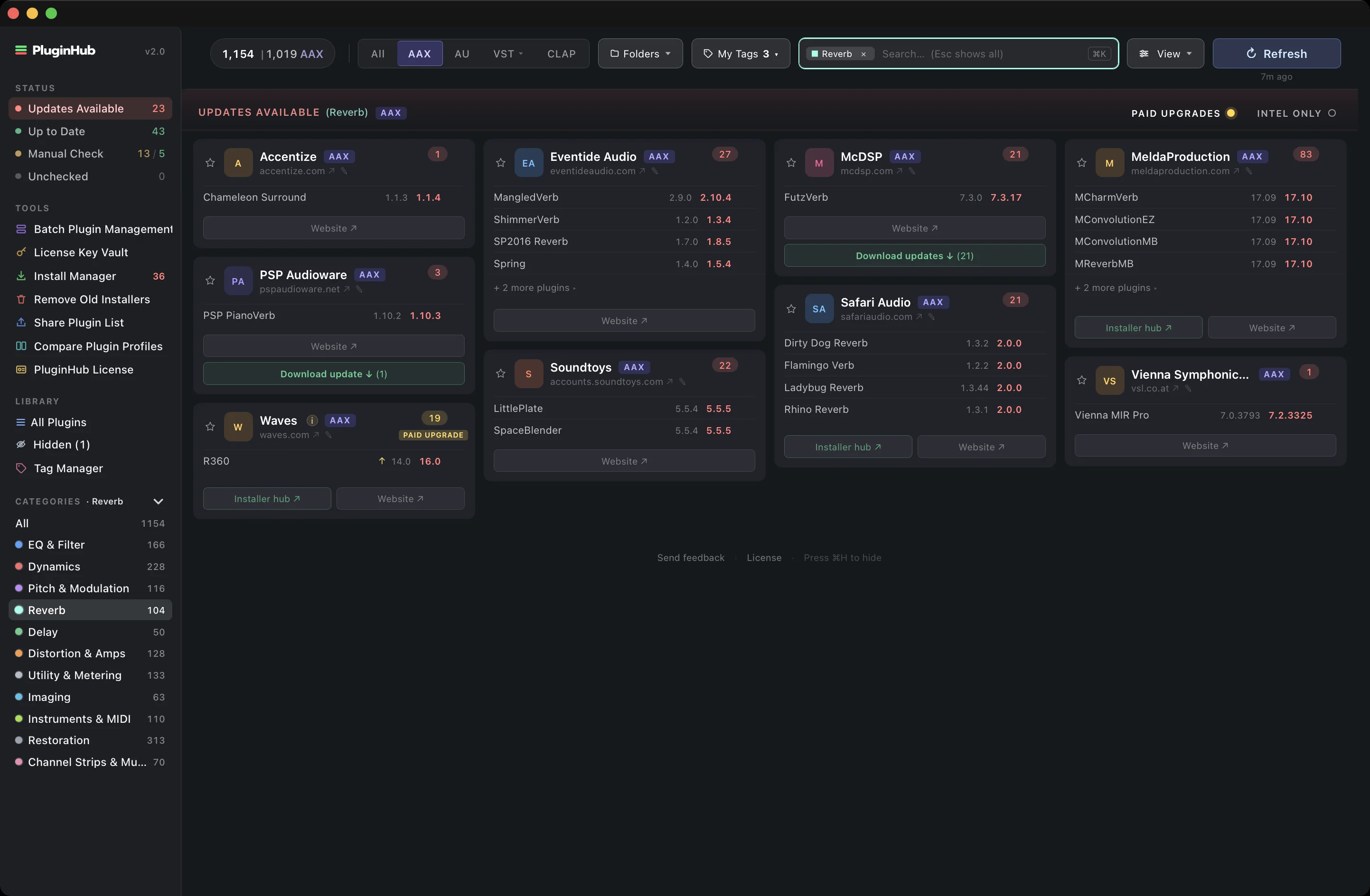
PluginHub scans your installed AAX, VST, AU, and CLAP plugins and shows you what needs updating, plus tools to manage, hide, or uninstall right from the app. All from your Mac menu bar and desktop.
“Fantastic tool. This is a service to the engineer of the best intention and heart. What a time saver. I don’t have to think about checking for updates, I can schedule this once a week now instead of having to search for everything. PluginHub is doing some epic s**t.”
“PluginHub makes the process of keeping track of what’s installed, what’s up to date, and what needs attention incredibly simple. With one click, I can see all my plug-ins in one place, know what needs updating, and spot any paid upgrades. What used to be a tedious, manual process — where something always seemed to get missed — now takes just minutes. On top of that, it keeps an eye on updates going forward, so I can keep my focus where it belongs — on the work itself.”
“PluginHub is the app you should have known you needed. Now you’ll have your updates for all your plugins as soon as they’re available. One refresh shows you what’s up to date and points you right to the source, which makes downloads easy. Such a great tool!”
“These kinds of simple organizational apps are exactly what we need more of. Updating plugins is never top of mind for me, and it is the last thing I want to deal with when I am in the room with an artist. PluginHub solves that problem before it ever comes up.”
“Keeping track of plugins just went from tedious to trivial. PluginHub removes so much nuisance we’ve lived with for years — it’s one of those rare apps you didn’t know you wanted, but once you’ve got it can’t imagine going back.”
On Apple Silicon, PluginHub flags every installed plugin that’s running only through Rosetta, the ones macOS 28 will retire. See the count up top, spot them by badge, and filter the full list in one click, so you can plan ahead on your schedule.
Intel-only plugins surfaced for you.
See the whole list in one click.
Swap them before macOS 28 lands.
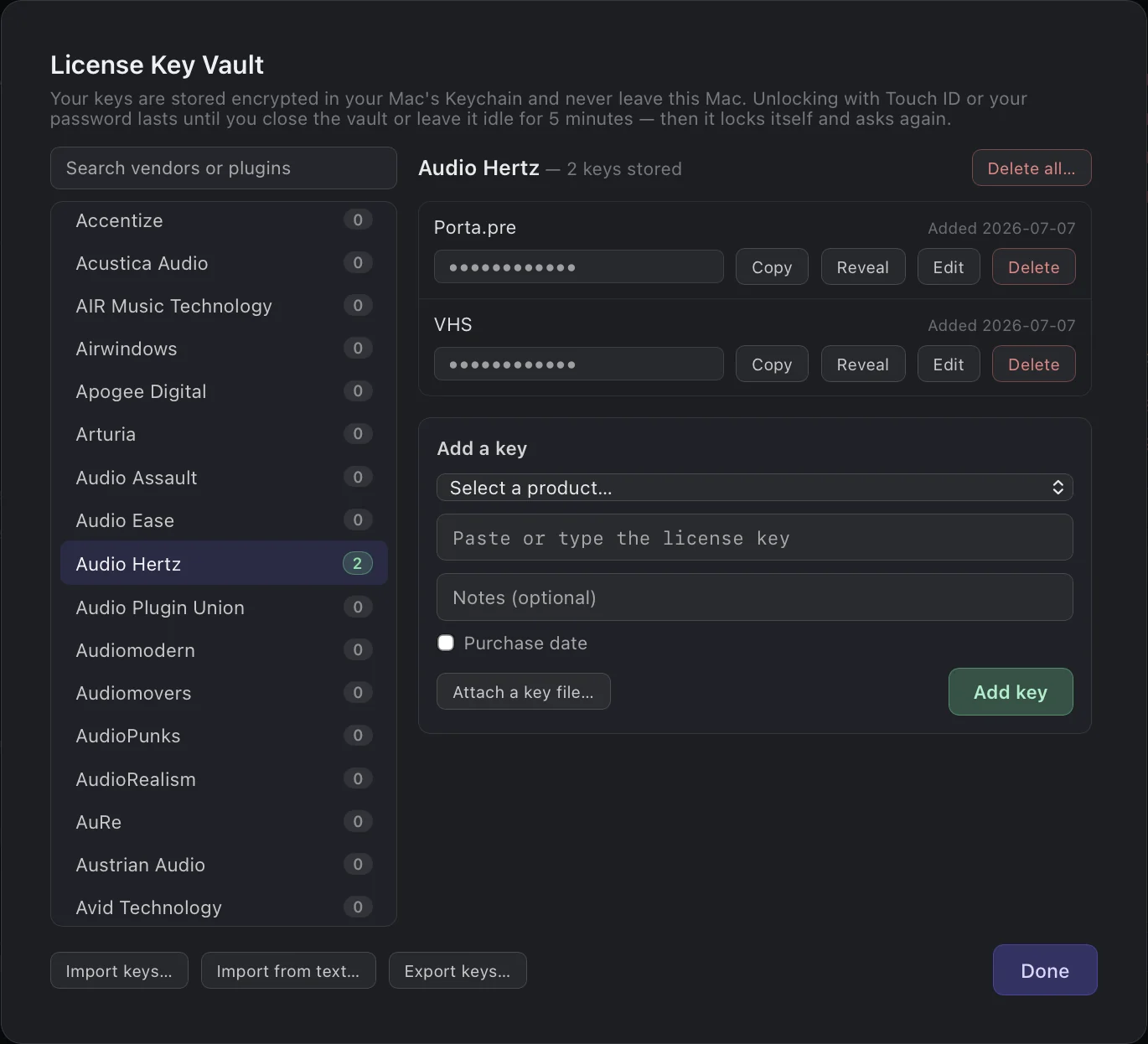
Store third party license keys and key files in one secure place. Encrypted in your Mac’s own keychain behind Touch ID or your password, searchable by vendor or plugin, and they never leave your Mac.
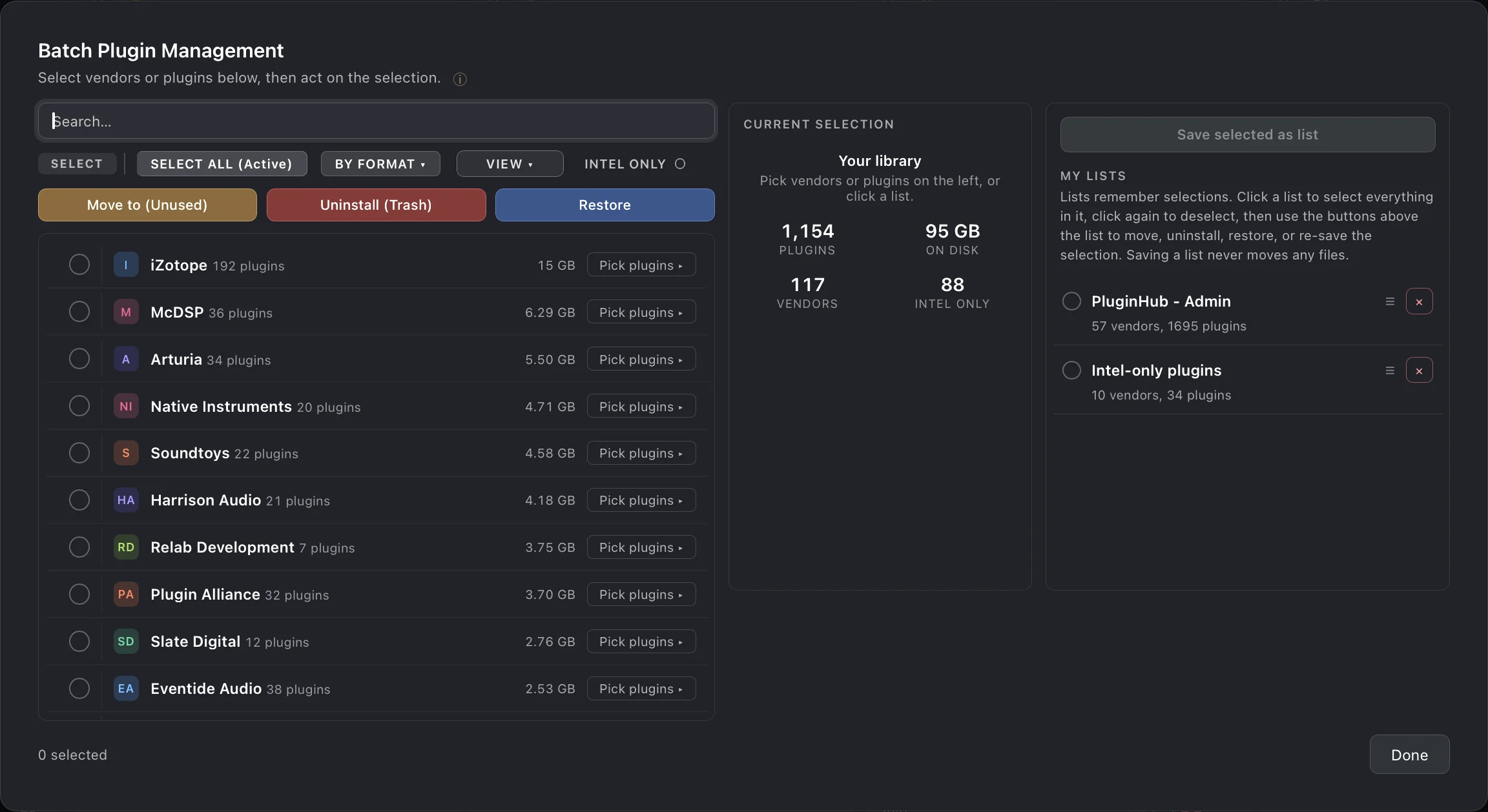
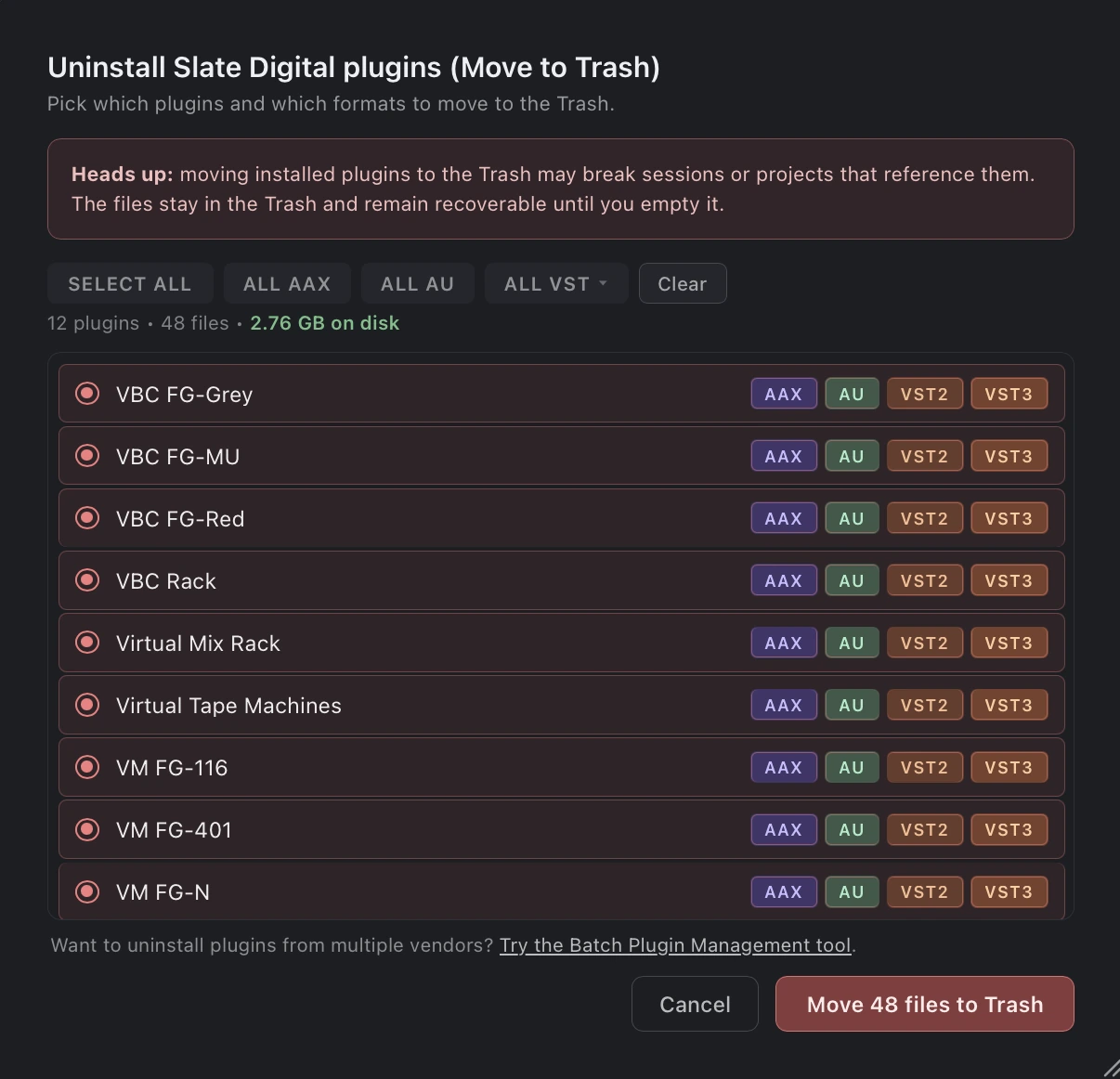
PluginHub doesn't just manage your updates. Hide vendors you've outgrown, park demos in an “Unused” folder, or uninstall stale plugins straight to the Trash. Everything's recoverable until you say otherwise.
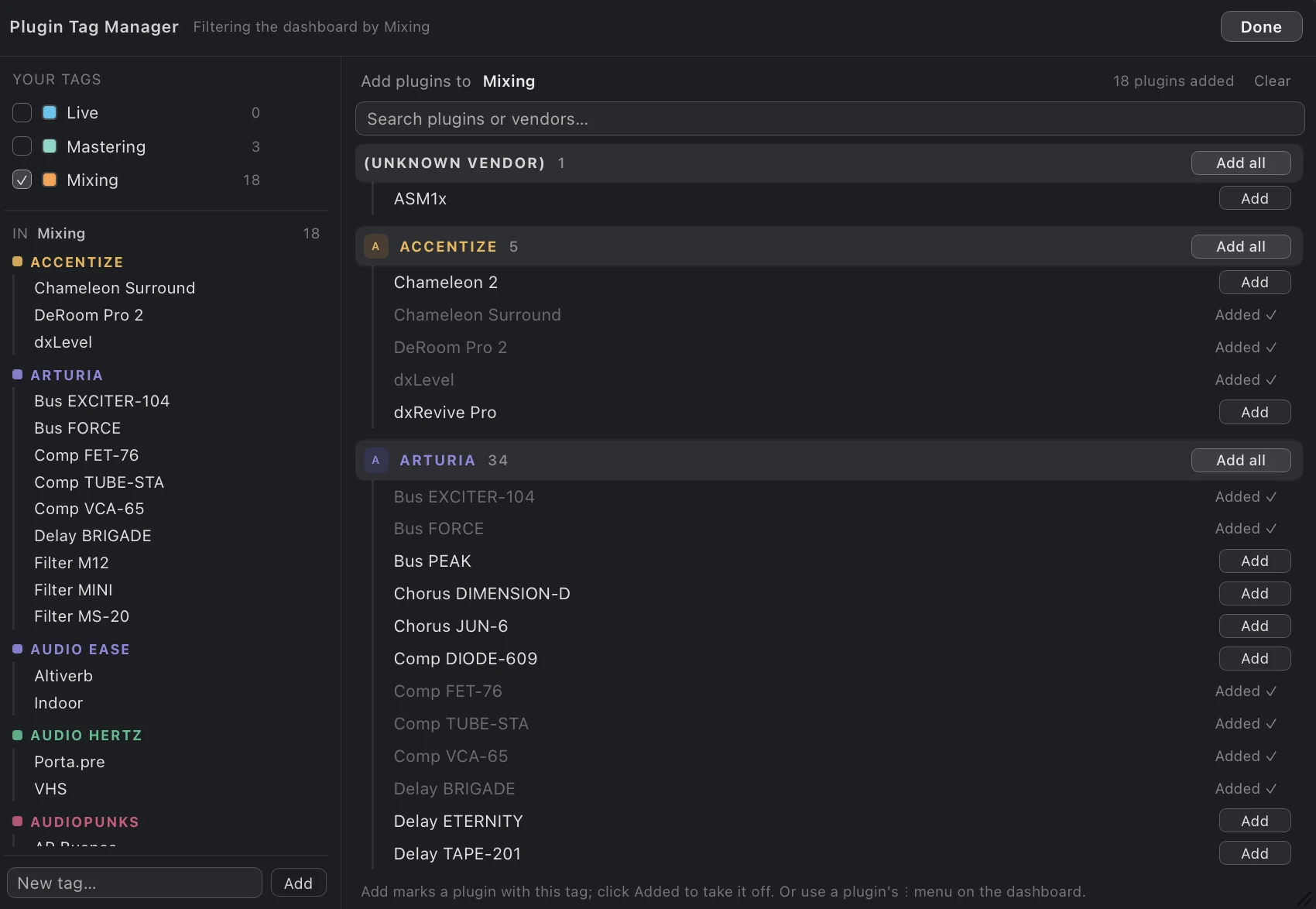
Move whole vendors, or hand-picked plugins per format, to (Unused) or the Trash in one pass with a single admin password. Save any selection as a named list: keep a lean “Mixing only” set for sessions, or one list per engineer so a shared studio Mac loads just the plugins each of you owns. Restore is review-first and just as fast, and nothing moved to (Unused) is ever deleted.
Named sets you can edit, duplicate, and reuse.
Whole vendors out in one pass, one password.
Review-first, and nothing is deleted.
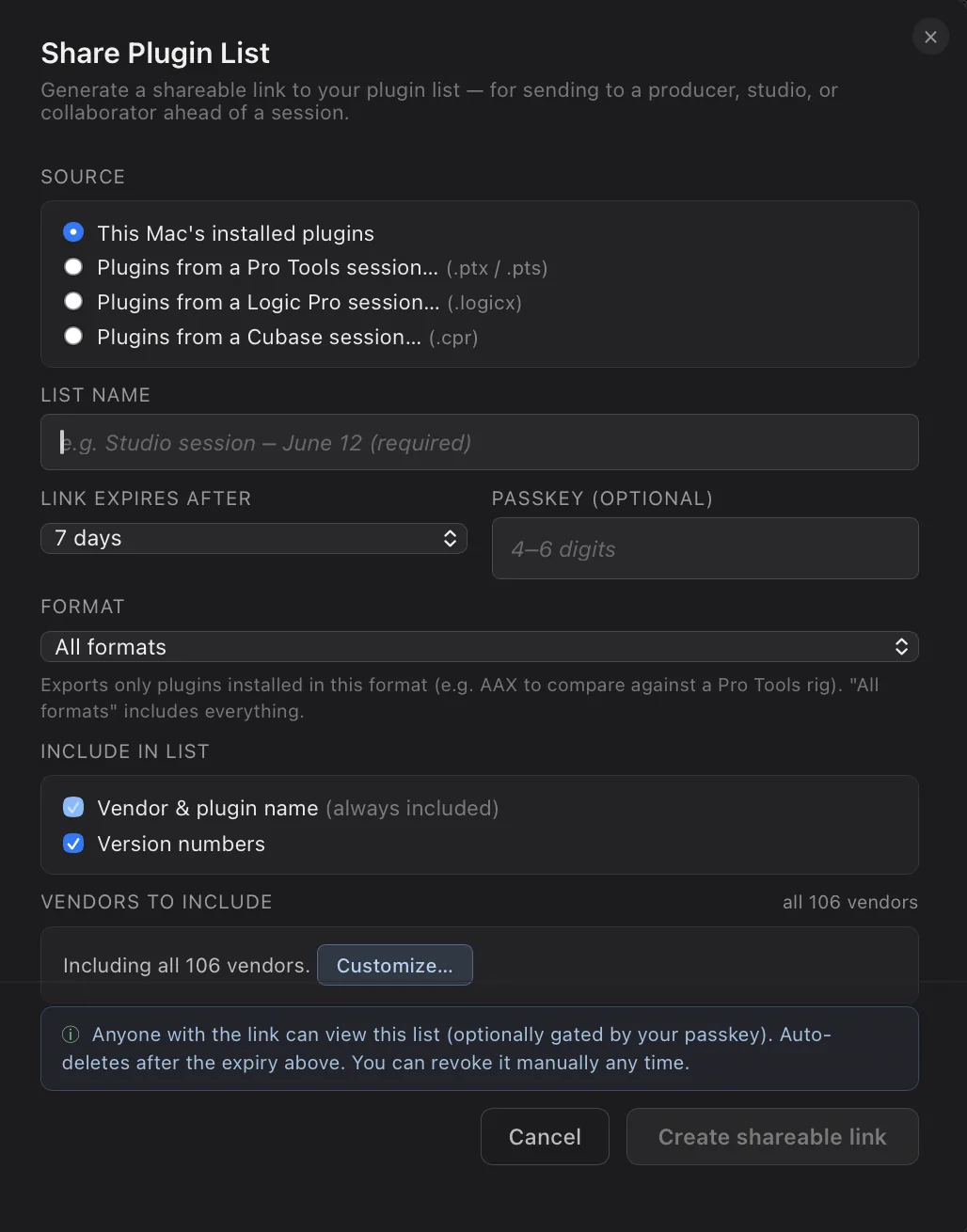
Every plugin, every format, every version — on a public link you control. Set a passkey, add an expiry, and download as a PDF, CSV or copy to Google Sheets in one click.
Drop in session files from Pro Tools (.ptx or .pts), Logic (.logicx), or Cubase (.cpr) to get a shareable list of just the plugins that session needed, including Waves by name. Great for mix handoffs and mastering documentation.
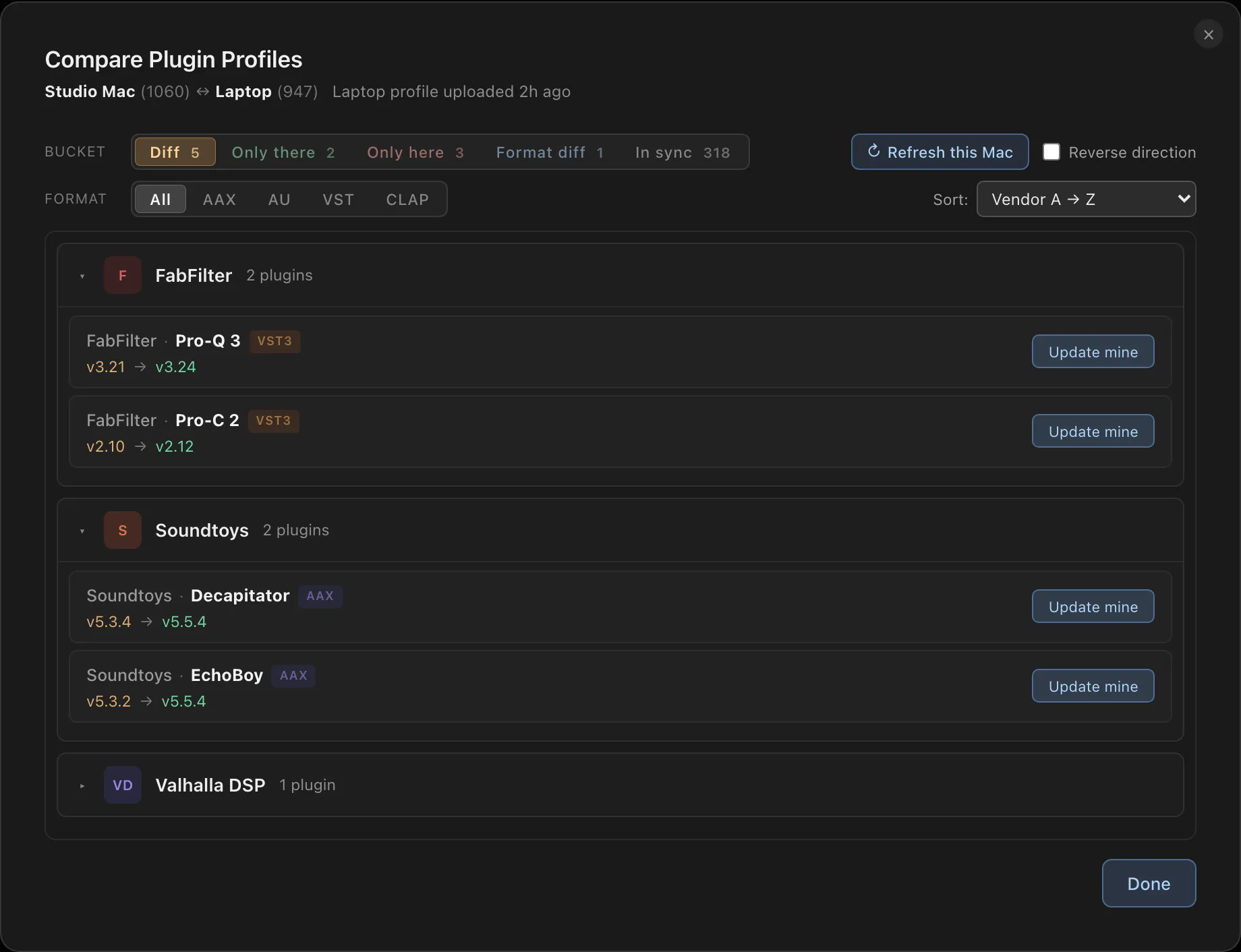
Select any two profiles on the same license key and instantly see what plugins they share, what's different, and where versions diverge. Useful for multi-machine setups, session prep, and collaborator parity checks.
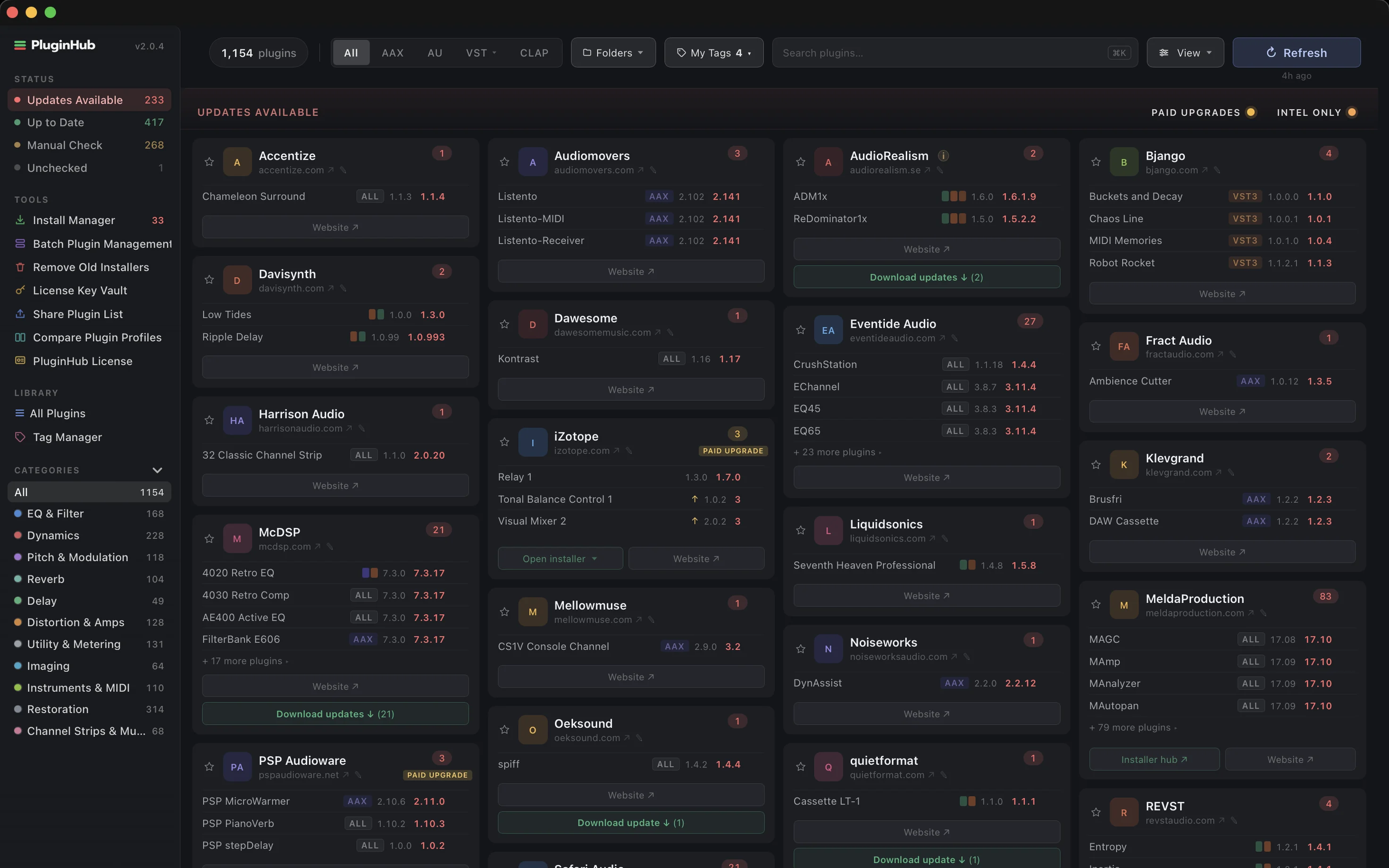
Automatically detects every audio plugin on your system and checks for available updates.
Uninstall demos and old plugins straight to the trash. Recoverable until the Trash is emptied.
At-a-glance dashboard with version numbers, update counts, and direct links to download pages.
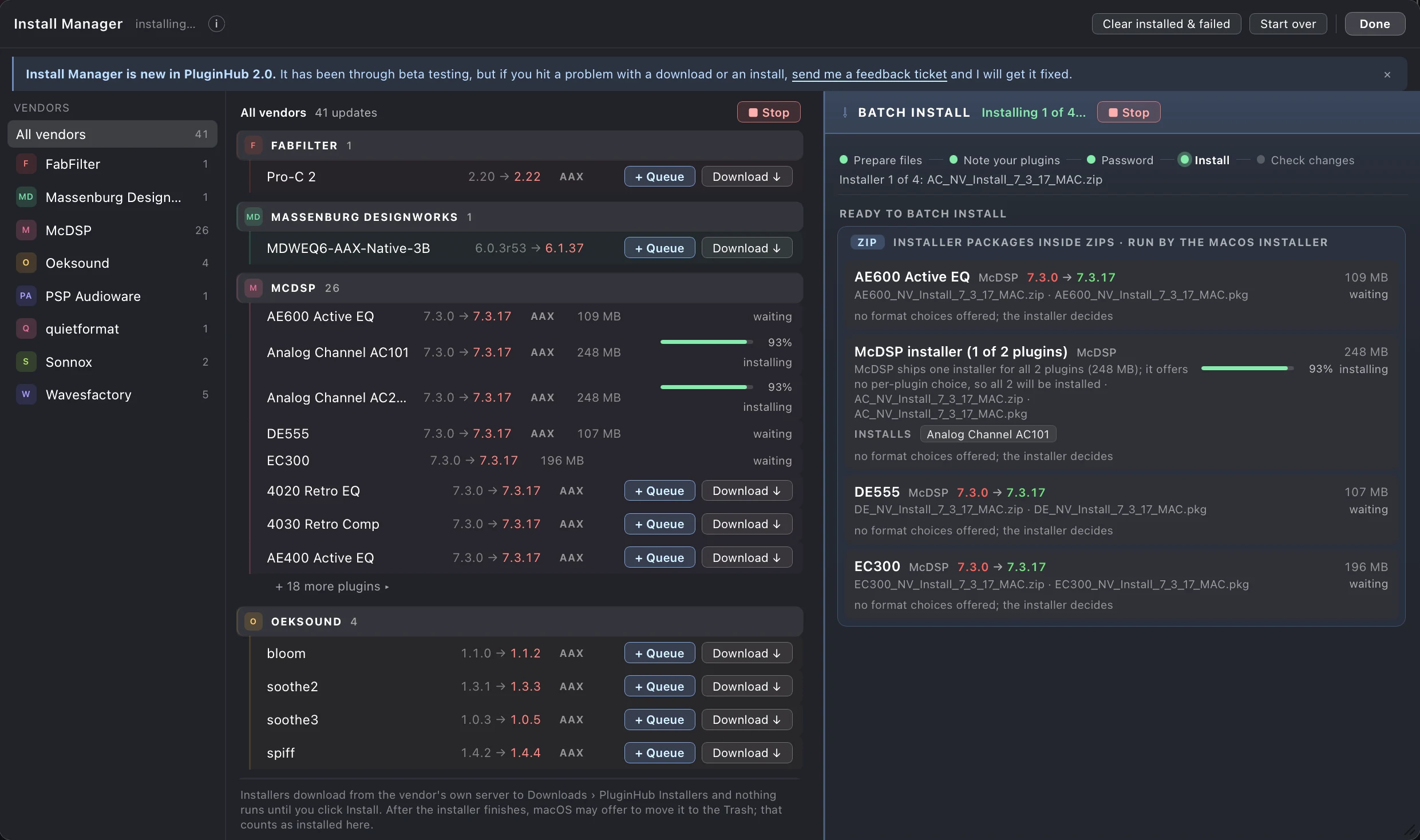
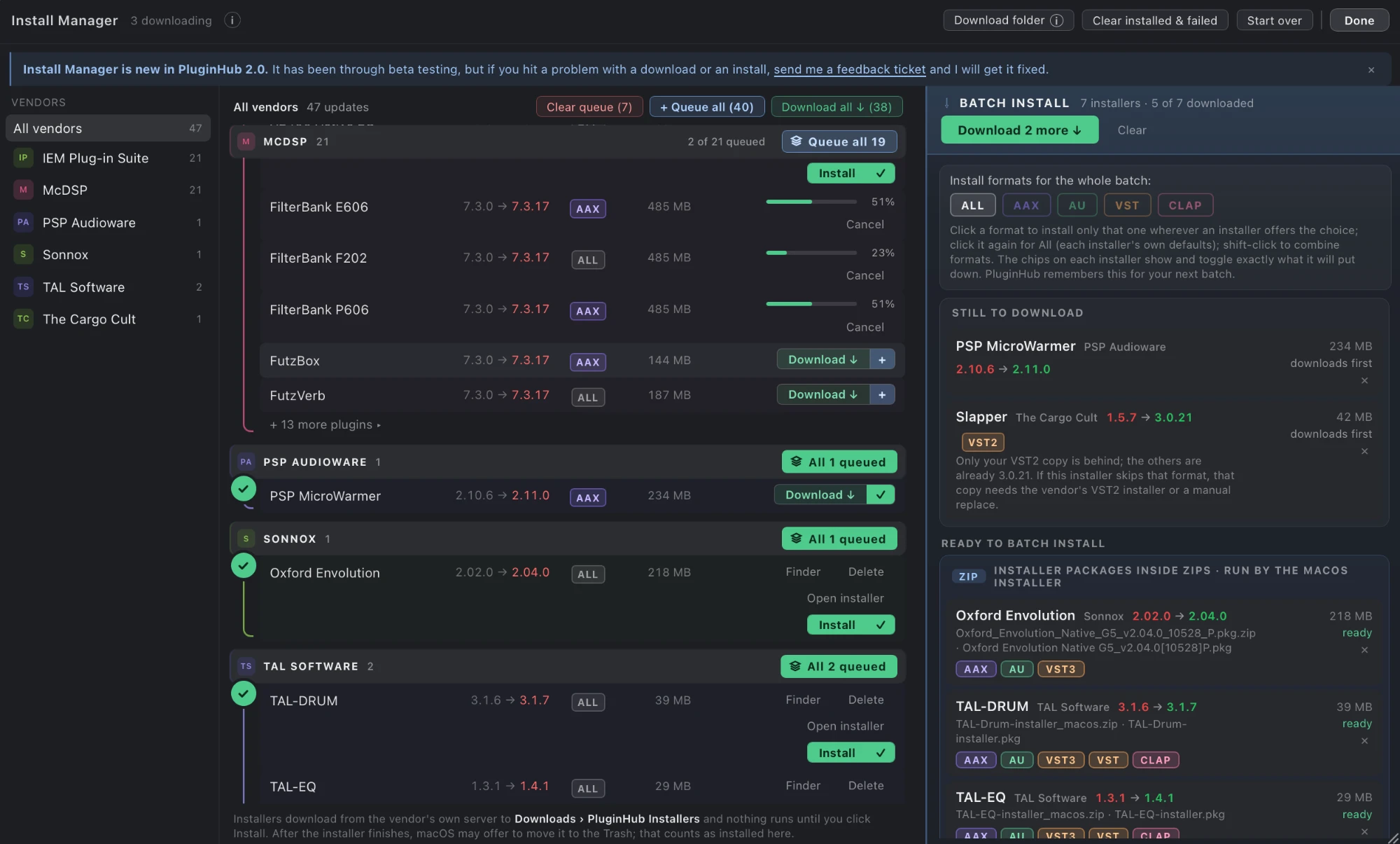
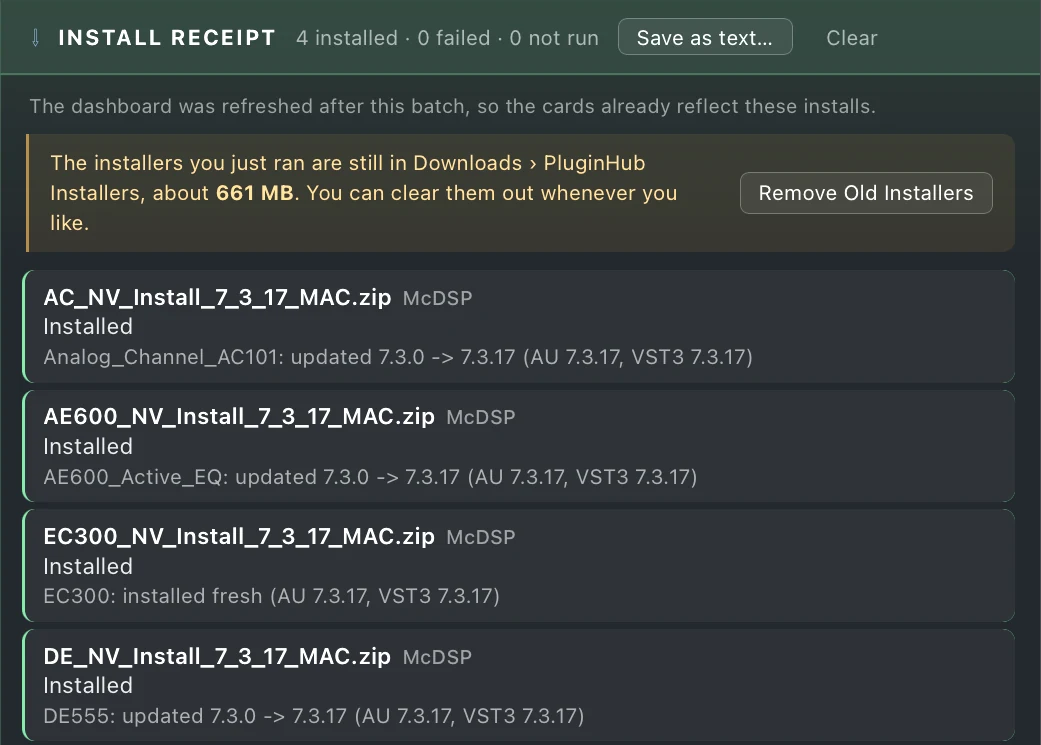
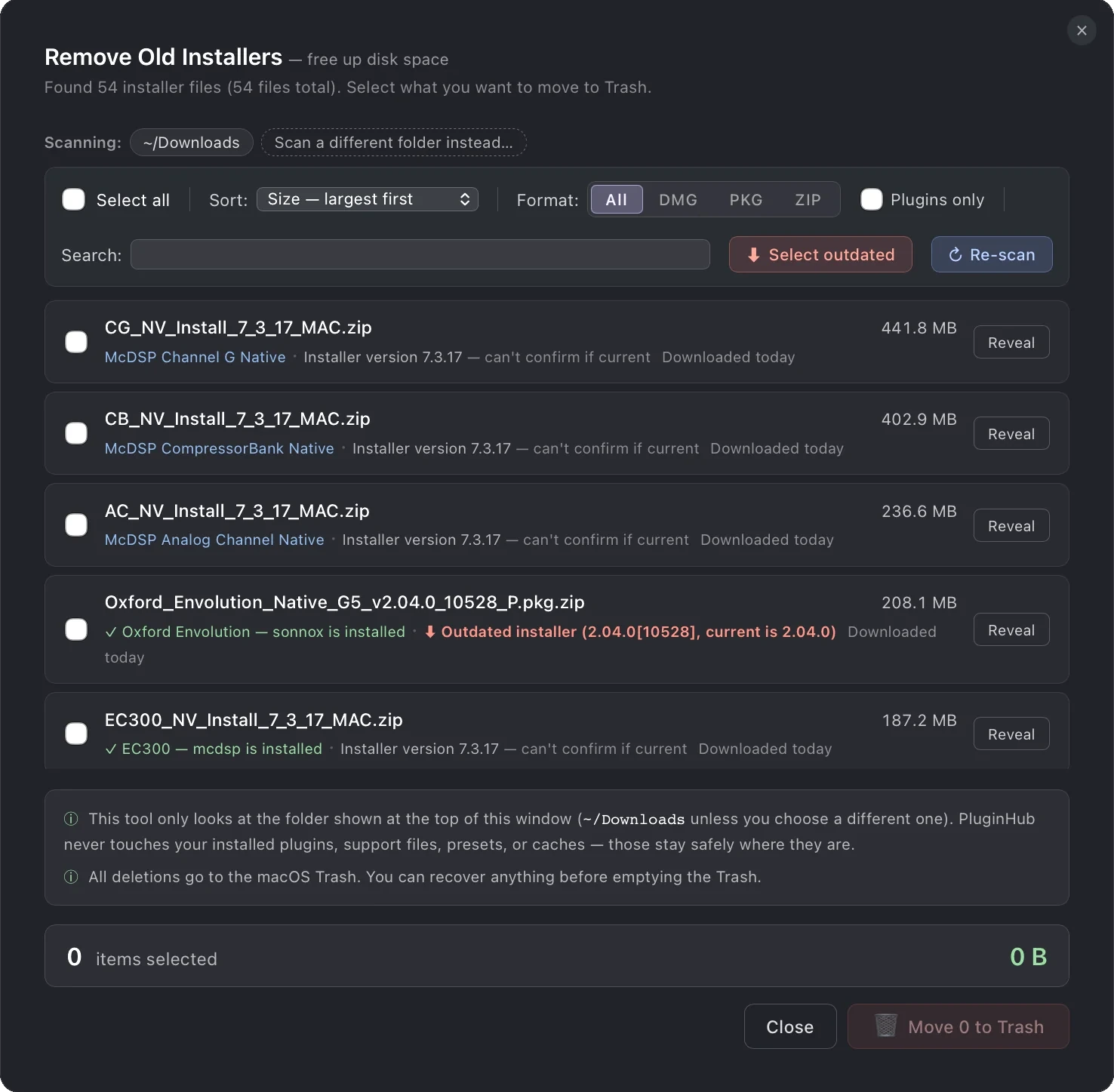
Move stale DMGs and zips from your Downloads folder to the Trash in one pass. Sort by largest to free up extra disk space.
Apple is retiring Rosetta, and Intel-only plugins stop working in macOS 28. PluginHub flags every affected plugin on your Mac so you can update or replace them before that day comes.
Save your plugin license keys and key files in one place, locked behind Touch ID or your password and stored encrypted in your Mac's Keychain. Your keys never leave your Mac.
Keep plugins on another drive? Point PluginHub at an extra folder for each plugin format. The default locations are always still scanned, so nothing you already have installed ever disappears.
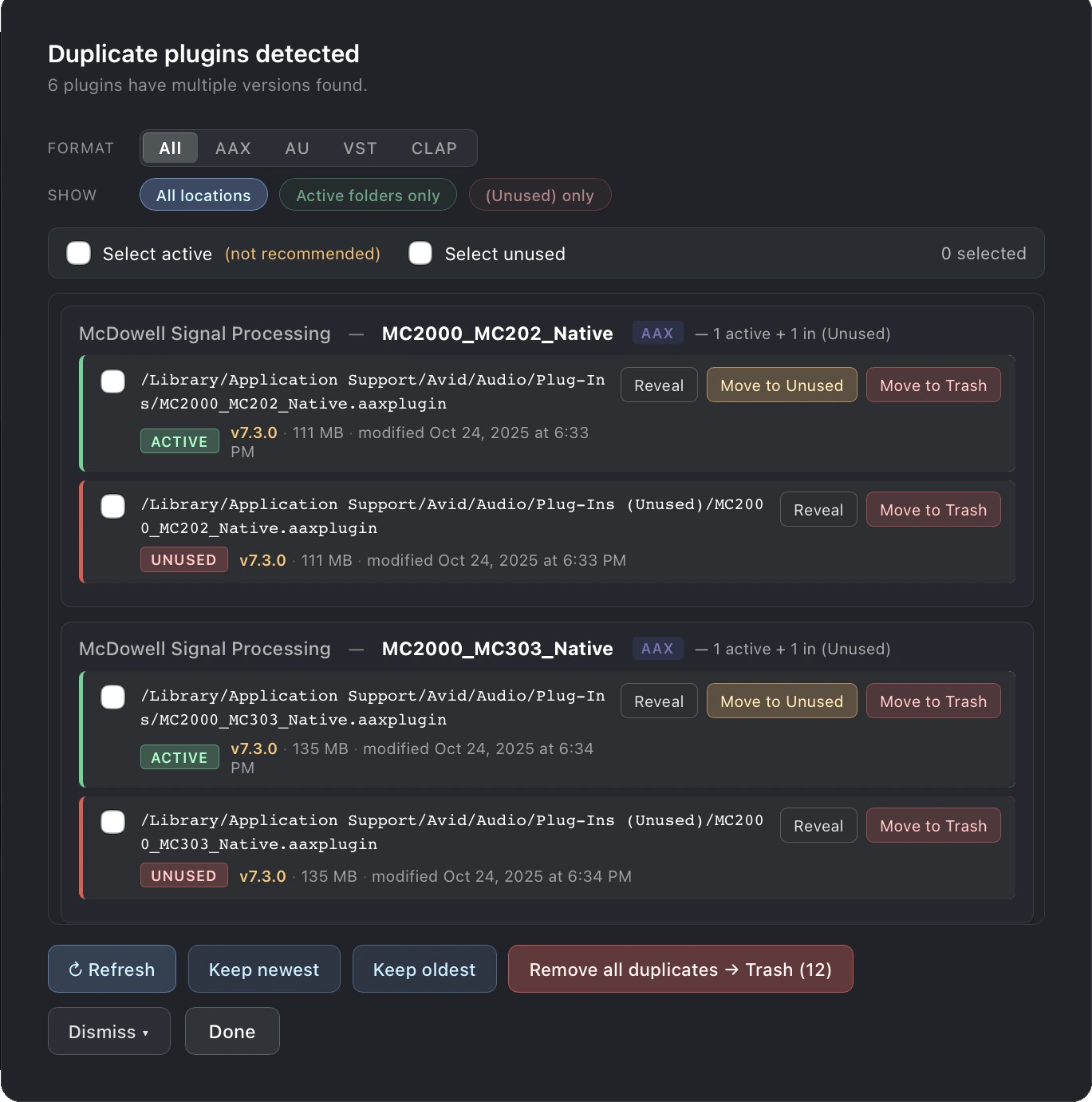
Spot plugins installed in more than one place. Review every copy and clean up safely.
Pay once, use forever.